Deploying a fleet of tablets across an organization, whether in a school district or a corporate setting, is a significant investment aimed at increasing productivity and digital engagement. However, many project managers focus solely on the hardware specifications of the devices themselves, overlooking the critical infrastructure required to maintain them. Without a centralized management strategy, a rollout can quickly descend into logistical chaos characterized by tangled cables, depleted batteries, and misplaced equipment.
Choosing a dedicated charging solution, specifically a high-quality charging cart, is the most critical preparatory step before a tablet rollout because it ensures device security, battery health through intelligent power management, and organized deployment, ultimately protecting the hardware investment and ensuring the devices are ready for daily use.
Implementing a robust infrastructure before the devices arrive prevents the common "power struggle" where users compete for wall outlets or leave expensive assets in unsecure locations. This article explores why a professional charging cart for laptops and tablets is an essential component of any mobile device management strategy, detailing the technical advantages of centralized power and the long-term ROI of organized storage.
Table of Contents
Why Charging Infrastructure is Critical for Tablet Deployment
Enhancing Security and Asset Protection with a Tablet Charging Cart
Optimizing Battery Life and Device Longevity
Improving Operational Efficiency and Workflow
Scalability and Future-Proofing Your Technology Rollout
Cost-Benefit Analysis: Charging Carts vs. Individual Adapters
Why Charging Infrastructure is Critical for Tablet Deployment
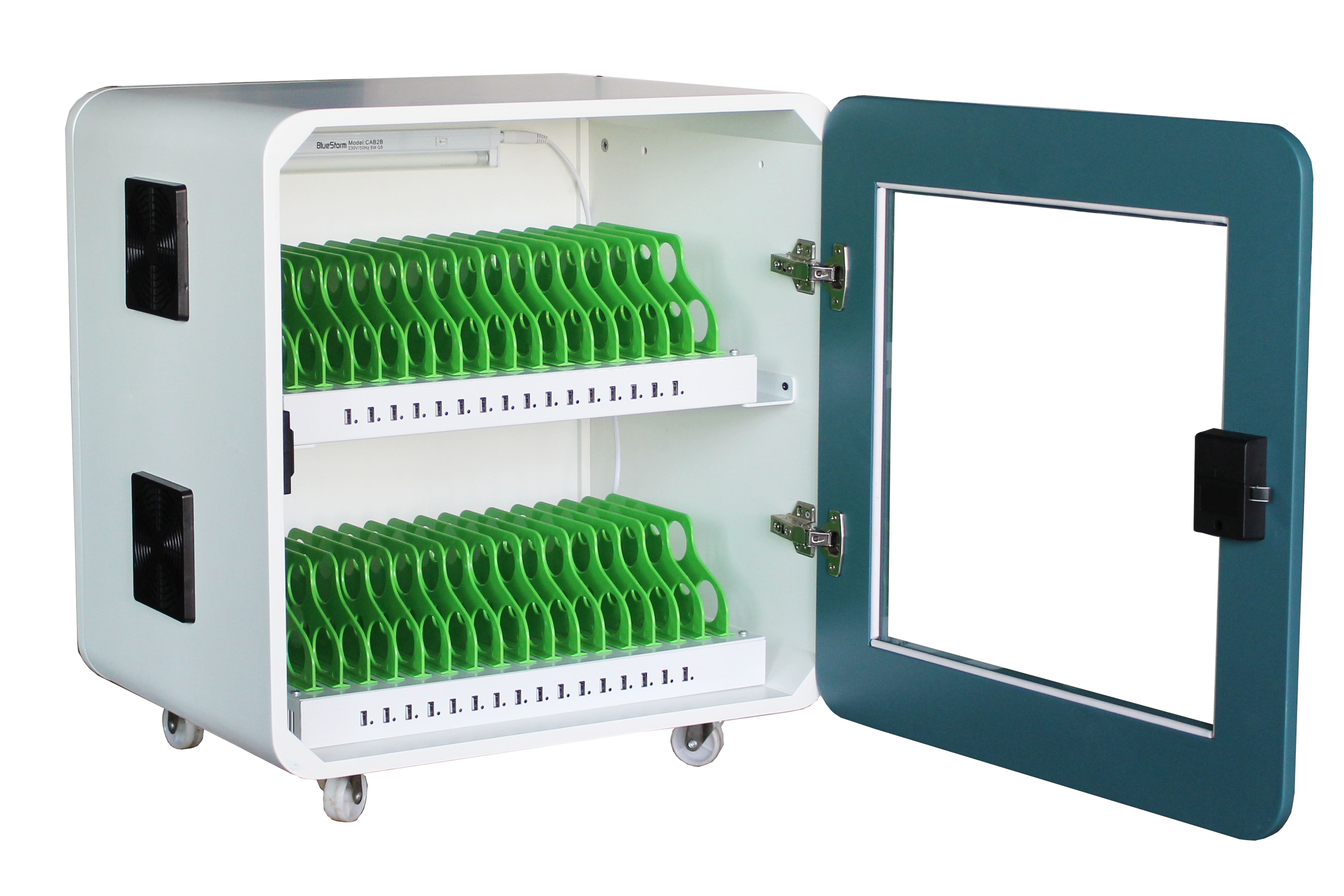
The success of a mobile device rollout depends on a reliable charging cart because it provides a centralized hub that eliminates the logistical nightmare of managing dozens of individual power cables while ensuring every device is fully powered for the start of the workday.
When organizations introduce 30, 50, or 100 tablets into an environment without a charging cart for ipad or similar devices, they immediately encounter the "cable chaos" phenomenon. Each tablet requires its own power brick and USB cable. In a standard office or classroom, there are rarely enough wall outlets to accommodate a full fleet. This leads to devices being scattered across different rooms, creating a significant risk of loss or accidental damage as tablets are left on floors or cluttered desks to charge.
Furthermore, a professional charging cart or computer charging cart simplifies the electrical load management. Plugging thirty tablets into standard power strips can trip circuit breakers or create fire hazards due to overheating. Industrial-grade carts are designed to handle high-wattage intake and distribute it safely to all connected units. This systematic approach ensures that the infrastructure supports the technology, rather than hindering its use.
Without a centralized tablet charging cart, the administrative burden on IT staff increases exponentially. Instead of checking one location to verify that all devices are present and charging, staff must hunt down individual units. By prioritizing the charging solution during the planning phase, organizations set a standard for accountability and readiness that defines the entire lifecycle of the hardware.
Enhancing Security and Asset Protection with a Tablet Charging Cart
A specialized tablet charging cart provides a secure, lockable enclosure that prevents theft and unauthorized access, doubling as a physical security vault for expensive mobile assets when they are not in active use.
Security is a paramount concern for any B2B or educational deployment. Mobile devices are high-value targets for theft. A charging cart for laptops and tablets is typically constructed from high-gauge cold-rolled steel and features reinforced locking mechanisms. This physical barrier ensures that at the end of the day, all iPads, Chromebooks, and tablets are accounted for and locked away safely, reducing the insurance premiums and replacement costs associated with lost or stolen hardware.
Beyond theft prevention, a charging cart protects devices from environmental damage. When tablets are left out on desks, they are susceptible to spills, dust, and being dropped. A cart provides individual padded slots that keep the screens from scratching against one another and prevent the chassis from being crushed. This structural protection is vital for maintaining the aesthetic and functional integrity of the fleet over several years of heavy use.
Moreover, using a charging cart for ipad or a chromebook charging cart allows for better digital security. Many modern carts include integrated data synchronization capabilities. This means that while the devices are securely locked and charging, IT administrators can push software updates, security patches, and configuration changes across the entire fleet simultaneously via a wired connection, ensuring that every device remains compliant with corporate or institutional security policies.
| Security Feature | Benefit to Organization |
| Three-Point Locking System | Prevents forced entry and unauthorized device removal. |
| Steel Construction | Provides industrial-grade durability and fire resistance. |
| Non-Marring Casters with Brakes | Allows for secure transport and stable stationary storage. |
| Individual Dividers | Prevents devices from colliding and scratching during movement. |
Optimizing Battery Life and Device Longevity
Professional charging carts utilize intelligent power management systems, such as sequential charging and overload protection, to prevent battery degradation and extend the overall lifespan of the tablet fleet.
Battery health is a silent killer of ROI in mobile deployments. Constant "trickle charging" or overcharging can lead to lithium-ion battery swelling and reduced capacity. A high-quality charging cart is equipped with smart timers and power sensors that detect when a device is full and cut off the current. This prevents the heat buildup associated with overcharging, which is the primary cause of premature battery failure in large-scale tablet rollouts.
The electrical architecture of a computer charging cart often includes "Round Robin" or sequential charging logic. Instead of drawing maximum power for all 30+ devices at once—which can damage the device's internal circuits—the cart's power management unit (PMU) cycles power between banks of devices. This ensures a steady, safe flow of electricity that respects the technical limitations of the building's wiring and the devices' sensitive electronics.
Additionally, a charging cart for laptops and tablets provides an organized thermal environment. Proper ventilation is built into the cabinet design, often assisted by cooling fans. When 30 tablets charge simultaneously, they generate significant heat. A standard cabinet or a pile of tablets would trap this heat, but a dedicated charging cart ensures constant airflow. This temperature regulation is essential for maintaining the chemical stability of the batteries, ensuring that the devices provide a full day of use even three or four years into their deployment.
Improving Operational Efficiency and Workflow
The use of a charging cart for laptops and tablets streamlines daily operations by creating a "grab-and-go" system that minimizes downtime and ensures that devices are always ready for immediate deployment.
In a fast-paced environment, every minute spent untangling cords or looking for a charged device is lost productivity. A tablet charging cart organizes cables internally so that only a small connector tip is visible to the user. This "neat-cabling" system allows users to plug and unplug their devices in seconds. When a fleet is organized in a charging cart for ipad, the start of a meeting or a classroom session is seamless, as every participant can quickly retrieve a fully functional, 100% charged unit.
The mobility of a charging cart also contributes significantly to operational flexibility. Equipped with heavy-duty casters, these carts can be moved between rooms or departments with ease. This means a single pool of tablets can serve multiple groups throughout the day. Instead of installing expensive charging infrastructure in every room, a portable chromebook charging cart can be wheeled wherever it is needed most, maximizing the utility of the hardware.
From an IT management perspective, the charging cart acts as a visual inventory check. At a glance, a manager can see if any slots are empty, indicating a missing device. This immediate feedback loop encourages user accountability. Many organizations find that implementing a computer charging cart reduces the "lost device" rate by over 80% because the physical presence of the cart establishes a clear home for the equipment, making it obvious when something has not been returned.
Scalability and Future-Proofing Your Technology Rollout
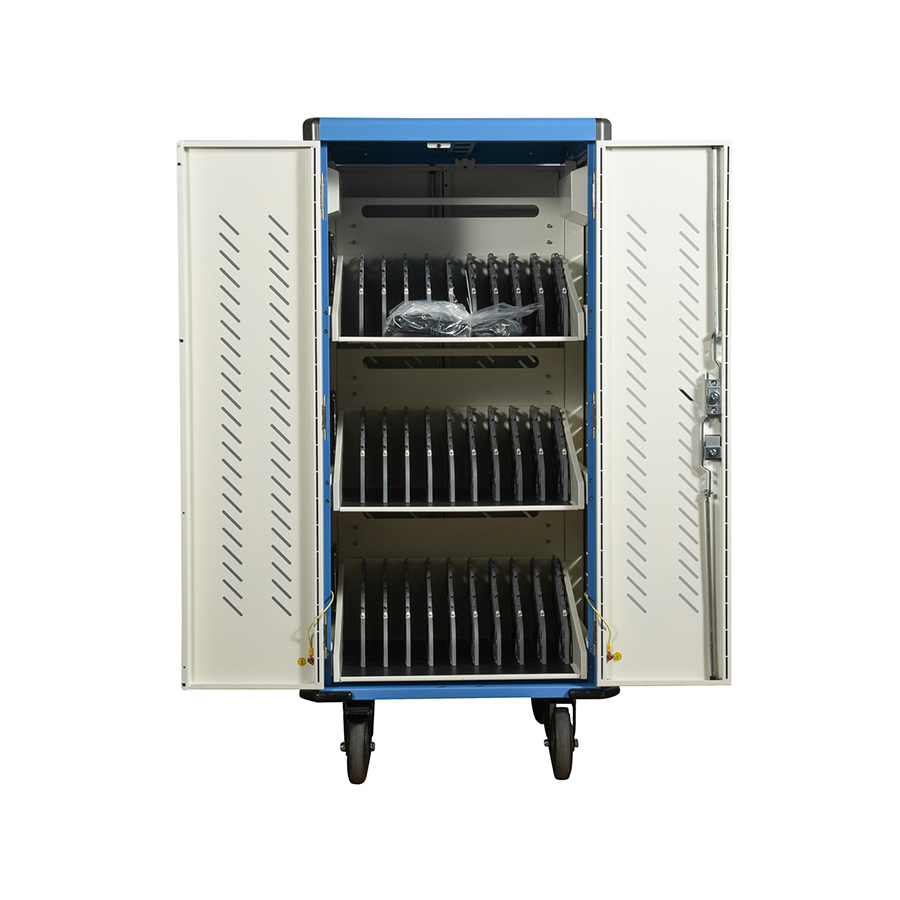
Selecting a universal charging cart for laptops and tablets ensures that your infrastructure can accommodate different device brands and evolving sizes, protecting your investment against future hardware changes.
Technology cycles are short, and the tablets an organization buys today may be replaced by different models in three years. A well-designed charging cart features adjustable dividers and universal USB or AC outlets that can accommodate iPads today and Chromebooks or Windows tablets tomorrow. By choosing a flexible charging cart for ipad or a chromebook charging cart with generous slot dimensions, organizations avoid the "planned obsolescence" of proprietary charging docks that only fit one specific model.
Future-proofing also involves considering power requirements. As devices become more powerful, their charging needs may increase from 10W to 20W or even 65W for laptops. Investing in a charging cart for laptops with high-wattage power strips or PD (Power Delivery) fast-charging ports ensures that the infrastructure won't become a bottleneck as hardware evolves. This scalability is a core component of a sustainable B2B technology strategy.
Furthermore, modularity in charging cart design allows for the addition of networking equipment. Many premium carts have space for a wireless access point or a network switch. This turns the computer charging cart into a mobile IT hub that provides both power and high-speed data connectivity. As your organization grows, the cart evolves from a simple storage box into a critical node of your digital infrastructure.
Cost-Benefit Analysis: Charging Carts vs. Individual Adapters
While the initial cost of a charging cart is higher than individual adapters, the long-term savings in reduced cable replacement, lower theft rates, and extended battery life provide a superior total cost of ownership (TCO).
When calculating the budget for a tablet rollout, it is a mistake to view a charging cart as an optional accessory. If an organization relies on individual adapters, they will inevitably face high "shrinkage" costs. Cables are frequently lost, broken, or "borrowed" by employees for personal use. A tablet charging cart keeps all original power equipment locked inside the rear compartment, where it cannot be tampered with or removed, virtually eliminating the recurring cost of replacing power accessories.
As the data shows, the charging cart for laptops or tablets pays for itself within the first year by preventing the "hidden costs" of unmanaged deployments. The efficiency gains for staff and the protection of the primary hardware investment (the tablets themselves) make the computer charging cart one of the most cost-effective purchases an IT department can make.
Conclusion
Choosing the right charging cart is not merely a secondary logistical decision; it is the foundation of a successful mobile device strategy. By implementing a charging cart for ipad, chromebook charging cart, or a universal tablet charging cart before the devices are even unboxed, organizations ensure that their investment is secure, organized, and technically optimized for a long service life. From preventing cable clutter to extending battery health through intelligent power management, the benefits of a professional charging solution are clear.
Don't let your tablet rollout be hindered by poor infrastructure. Prioritize a high-quality charging cart to ensure your team stays powered up and productive from day one.


